(Keywords: ai for podio, automate podio with ai, podio artificial intelligence)
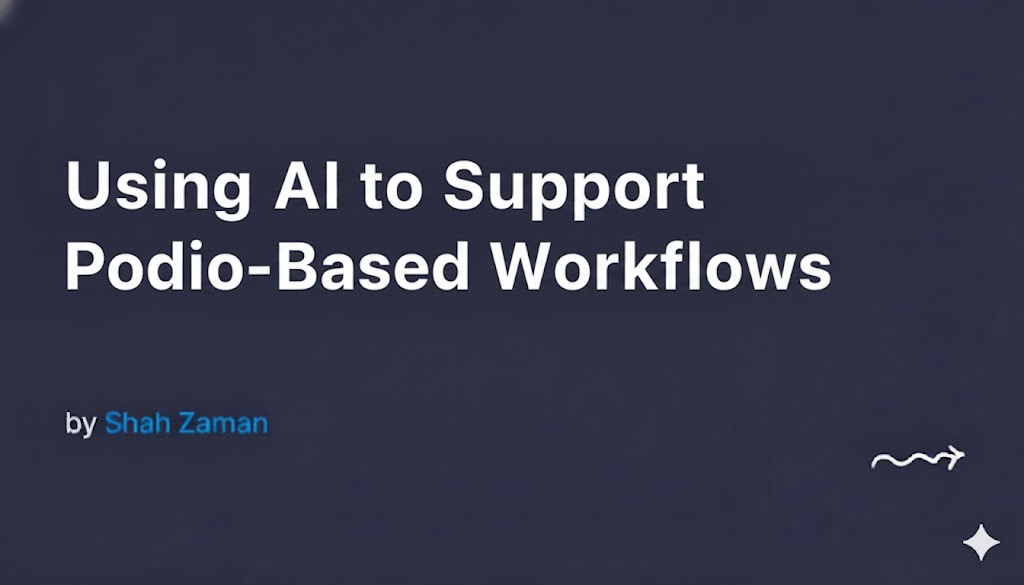
Podio has always been a flexible platform—great for building custom CRMs, project systems, donor pipelines, and internal workflows. But today, organizations are asking a new question:
“How can we combine Podio with AI to save even more time?”
The truth is: AI doesn’t replace Podio.
It supercharges it.
Think of Podio as your operational engine… and AI as the intelligent co-pilot that works behind the scenes—reading data, making recommendations, analyzing context, and triggering smarter actions.
If you’re exploring how to bring AI into your Podio ecosystem, this guide walks you through practical use cases, setup principles, and how to design AI-assisted systems that feel natural inside your workflows—not bolted on.
Why AI + Podio Works So Well Together
Podio excels at structure. AI excels at interpretation.
When you blend the two, you get workflows that not only run automatically but also think.
Here’s what AI adds:
- Understanding text (emails, notes, descriptions)
- Categorizing information without manual tagging
- Generating summaries, insights, and next steps
- Responding dynamically to user input
- Triggering Podio automations based on meaning, not just conditions
AI becomes a silent team member—always reviewing, always processing.
Real AI Use Cases for Podio Workflows
These examples are based on actual AI–Podio setups we’ve built for clients.
1. AI-Powered Lead Qualification
You can feed incoming lead notes, form entries, or call transcripts directly into an AI model.
What AI does:
- Scores the lead
- Extracts budget, timeline, or intent
- Categorizes the opportunity
- Suggests the next step
Podio can then:
- Assign the lead to the right rep
- Create follow-up tasks
- Trigger nurture sequences
Result: Faster decision-making with less admin work.
2. Automated Email & Message Summaries
Support teams often paste long emails into Podio.
AI can instantly convert them into:
- Bullet-point summaries
- Priority flags
- Required actions
- Client sentiment
Instead of reading paragraphs, your team works from clear, actionable notes.
3. Smart Categorization of Podio Items
Instead of using manual category fields, AI can classify:
- Support tickets
- Cases
- Projects
- Volunteer or donor types
- Lead sources
- Risk levels
It learns from your historical data and becomes more accurate over time.
No more inconsistent tagging. No more “Other” category chaos.
4. Document + Data Extraction
When you upload PDFs, agreements, bills, or reports into Podio, AI can read them and extract:
- Names
- Dates
- Amounts
- Case numbers
- Compliance requirements
Podio then stores the extracted data inside fields—automatically.
This removes hours of tedious copy-paste.
5. AI-Generated Next Actions
For internal teams, the biggest bottleneck is knowing what to do next.
AI can analyze notes, tasks, communication history, and pipeline status to suggest:
- Next follow-up
- Deadline adjustments
- Risk alerts
- Tasks to assign
- Missing information
Podio then converts these suggestions into actual structured items.
6. AI-Driven Donor, Client, or Customer Insights
If your Podio workspace holds large volumes of interaction history, AI can help you understand:
- Engagement trends
- Drop-off patterns
- Donation or purchase signals
- Messages that require urgent attention
AI doesn’t just report—it interprets.
How to Integrate AI Into Podio (Step-by-Step)
AI becomes most valuable when your system is structured correctly.
Here’s a simple blueprint:
Step 1: Identify workflows that require human interpretation
Look for areas where your team says things like:
- “I need to read this first.”
- “It depends on the context.”
- “I’ll decide after reviewing the details.”
These are the perfect places for AI.
Step 2: Build clean, consistent Podio apps
AI needs clarity.
If your Podio structure is messy, the AI output will be messy.
Focus on:
- Clear field names
- Predictable data structure
- Clean separation of apps (Leads, Notes, Tasks, Documents)
- Standardized call or email logs
Step 3: Set up automations that trigger AI only when needed
Examples:
- When a new lead is created
- When an email is added
- When a PDF is uploaded
- When a task is completed
- When a note is updated
This ensures AI supports your workflow instead of interrupting it.
Step 4: Store AI output back into Podio fields
Avoid generating AI results as one big paragraph.
Instead, save structured outputs into fields such as:
- Lead Score
- Summary
- Risk Status
- Category / Type
- Recommended Action
This keeps the system useful and reportable.
Step 5: Continuously refine prompts and rules
AI improves dramatically when:
- You provide examples
- You adjust instructions
- You refine the format you expect
Podio workflows become smarter month after month.
A Few Practical Tips
1. Start small
Don’t try to “AI everything” in one go.
Pick one painful workflow and upgrade it.
2. Keep humans in the loop for critical decisions
AI supports your team; it shouldn’t replace judgment for sensitive actions.
3. Maintain transparency
Store AI input + output in Podio so anyone can review what the system decided.
4. Monitor accuracy for the first 30–60 days
Your prompts will evolve based on real-world results.
Where Most Podio Teams Get Stuck
We consistently see the same challenges:
- AI output not formatted properly
- Prompts too vague
- Podio apps too messy
- Automations firing at the wrong times
- Not knowing which AI model to use
- Struggling to store structured data cleanly
This is where expert guidance makes a huge difference.
At PodioDeveloper.com, we design AI-powered Podio systems that automate manual work, reduce errors, and give your team intelligent workflows that grow with your business.
If you want to explore AI for Podio or need a custom automation built for your workspace, our team can help from strategy to deployment.
Final Thoughts
AI isn’t replacing Podio—it’s extending what Podio can do.
Your workspace becomes faster, clearer, and far more intelligent.
Teams stop wasting time on repetitive tasks and focus on what matters:
serving clients, closing deals, managing programs, or supporting donors.
If you’re ready to automate Podio with AI and transform your workflow, visit PodioDeveloper.com — we’ll help you design a system that works the way your organization actually operates.